Uplika's own reel, looking back: 48 seconds in English, 527,900 views
A look back at two weeks of a 48-second English reel on connecting Claude to YouTube, posted to five places through uplika, with every comment answered by DM.
Every number in this post is what the platform showed on the date written next to it or under its screenshot.
On the evening of October 15 we posted a 48-second English reel to uplika's Instagram, @uplika_center. It walks through connecting Claude to a YouTube channel in a few steps.
Two weeks later, on October 29, it had 527,900 views. Our other reels topped out at a little over 10,000, so this one took off on its own. This post looks back at how it was made and posted, and what happened after.
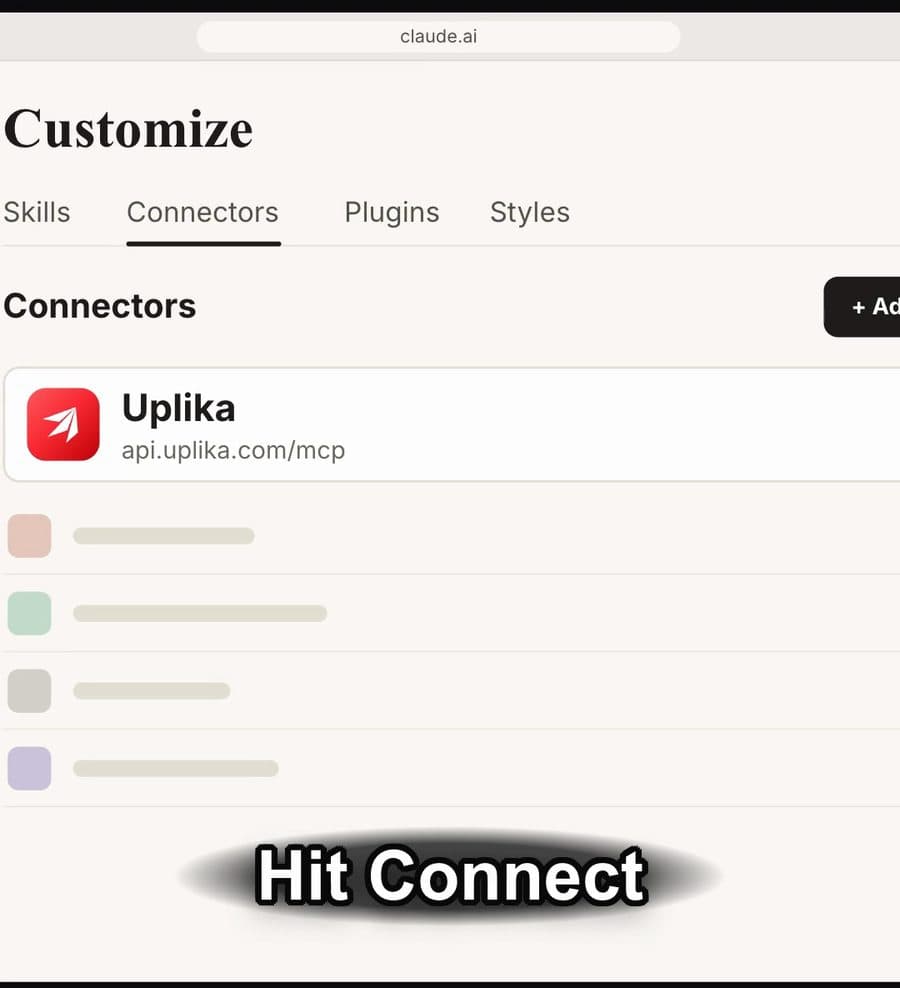
How was it made?
We took our earlier Instagram reel as the reference and rebuilt the same flow for YouTube. Claude Code runs it step by step: the script, a voice-over in the same voice and pace, motion graphics for the screens, and a PDF guide for the people who ask for it in the comments.
The person picks the reference, checks that the script matches what we actually do, and approves the post at the end.
What the reel leads to
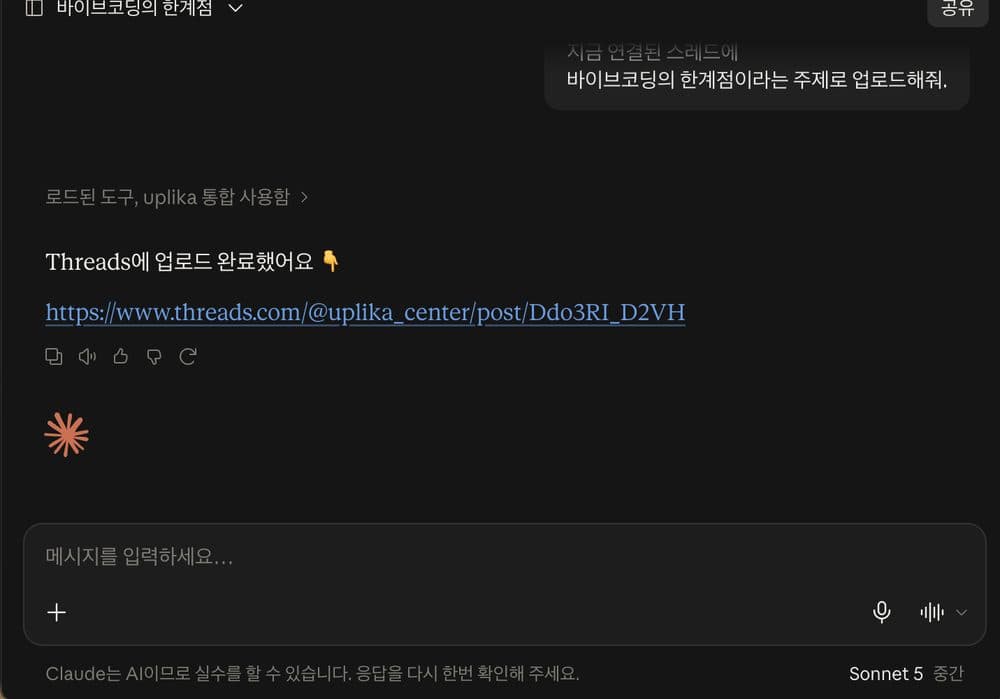
Once connected, you just ask Claude to post. On September 24 we typed one line into claude.ai asking for a Threads post on the limits of vibe coding, and Claude posted it to Threads through uplika and returned the link. The reel shows the connection steps that get you to that point.
October 15: five places at once
At first we scheduled it for the next day, early morning in the US. That evening we decided not to wait and moved it up at 8:24 p.m. Korea time, and it went out to Instagram, Threads, YouTube Shorts, Facebook Reels and TikTok at the same moment.
The versions are almost identical. The YouTube and Facebook cuts change only the last line, pointing to the profile link and the pinned comment, and TikTok uses the YouTube cut as is. Threads got a 12.8-second clip from the video. All five went out through uplika, posted by an agent.
Views kept climbing for two weeks
Read through uplika, the reel had 270,000 views on October 21, 380,000 on October 23 and 527,900 on October 29. It had more shares than likes.
Comments were answered by DM
The reel ends by asking people to comment YOUTUBE for the setup guide. uplika's comment-to-DM automation replies under the comment and sends a DM with a button, and the button sends the link to the PDF guide. Only people who follow the account receive it. Nobody writes these replies by hand.
On October 29 there were 22 automations switched on, and almost all of the runs came from this one reel.
The uplika site that same week
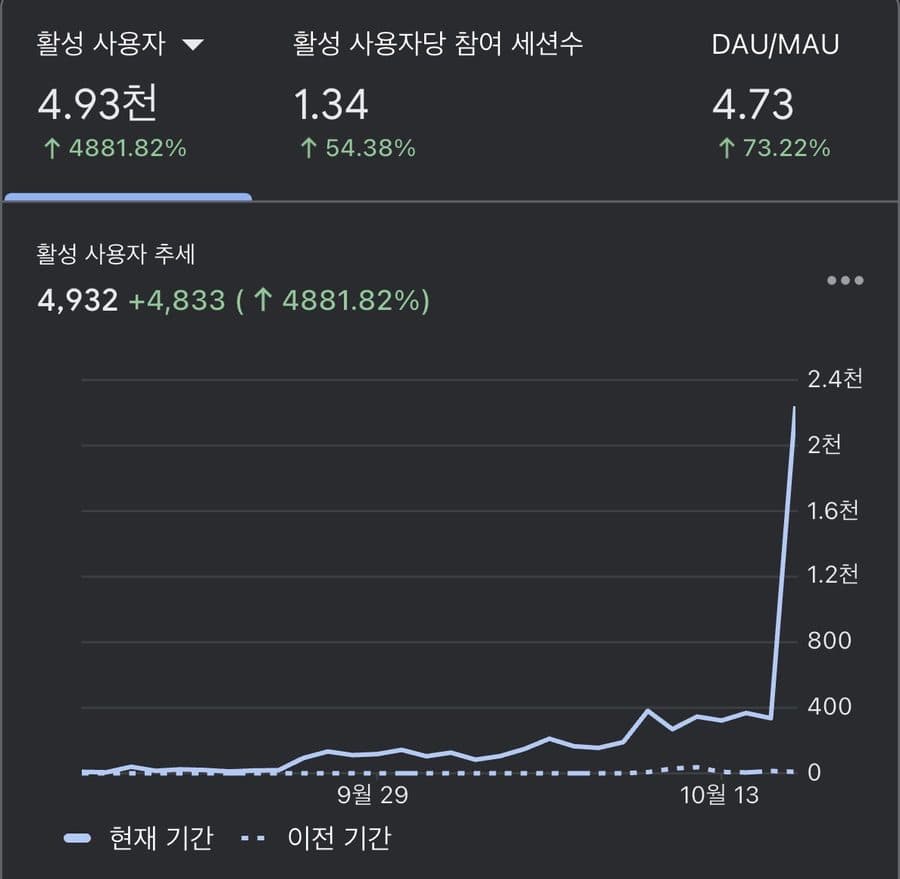
This is uplika's own web analytics, viewed on the night of October 17: 4,932 active users, 4,833 more than the previous period, with the line jumping into the 2,000s per day at its end.
The screen does not say where those people came from. Reels from other accounts that use uplika also did well that week, and we did not measure how many people this reel brought.
What do these numbers not say?
One reel doing well is not a trend. The account's other reels topped out at a little over 10,000 views, and this post is about the one that did best, not a typical week.
The numbers here are Instagram's only. The same video went to the other four places too, and we did not put their numbers in this post.
What made people watch was the content, not uplika. uplika is where it went out to five places at once, and what answered every comment without anyone typing a reply.
FAQ
Who made the reel?
Claude Code made the script, voice-over, motion graphics and PDF guide step by step. A person picked the reference and approved the script and the post.
How did it go to five places at once?
An agent connected to uplika over MCP picked the right cut for each channel and posted them at the same time. The cuts differ only in the last line.
Does everyone who comments get the DM?
For this reel, only people who commented the keyword and followed the account. Each automation sets its own conditions.
Try it on your own accounts
Connect a channel, add uplika to the agent you already use, and ask it to post. No card to start.
Sign up