You can now post to a Discord channel with one webhook URL
Discord is now a channel you can connect. Make a webhook for one text channel, paste its URL, and your agent can post there. No bot to invite and no review to wait for.
Since October 28, 2026 you can connect a Discord channel and post to it the same way as every other channel: ask your agent, or write the post in the dashboard.
The connection is a single webhook URL. You don't invite a bot to your server, and there is no platform review in between.
What can you do with it?
Post text, attachments or both to the channel the webhook belongs to. Discord renders its own Markdown, so bold, lists and links show as written.
Edit the text of a post you sent, or delete it. Attachments stay as they were when you edit.
Mentions are off by default. @everyone and @here show as plain text and ping no one, so an agent can't wake a whole server by mistake. Turn them on only for the posts that should notify people.
A webhook can post but can't read the channel, so replies, comments and reading the channel's messages aren't available. The channel docs list exactly what works and what doesn't.
How do you connect it?
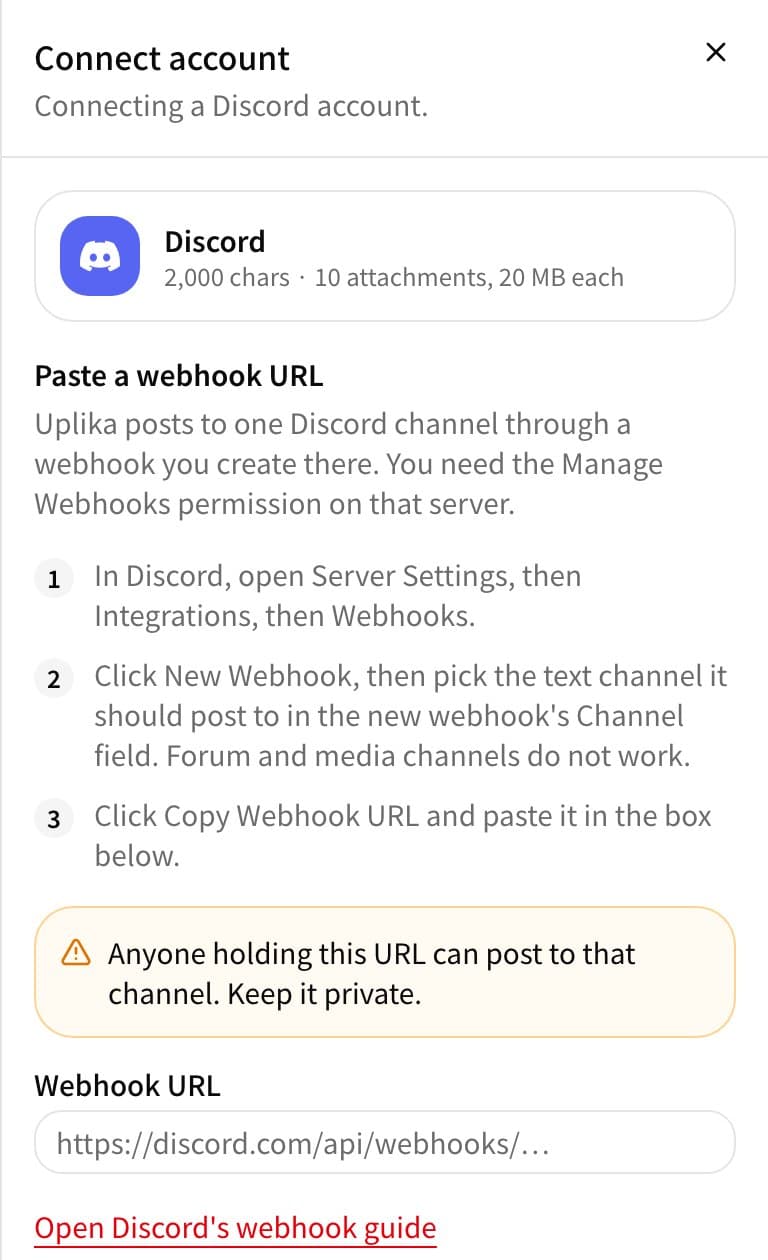
Make a webhook in Discord
Open Server Settings, then Integrations, then Webhooks. Click New Webhook and pick the text channel it should post to. You need the Manage Webhooks permission on that server.
Copy its URL
Click Copy Webhook URL.
Paste it into uplika
In the dashboard, open Connections, click New connection, choose Discord and paste the URL. Treat it like a password: anyone holding it can post to that channel.
Where to go next
Frequently asked
Why can't I use a forum channel?
Every post in a forum or media channel has to open a new thread, and uplika doesn't create threads. Make the webhook for a regular text channel.
What happens if the webhook is deleted in Discord?
The next post fails and the connection shows as expired. Make a new webhook and connect again with its URL.
Can I see the webhook URL again after connecting?
No. uplika keeps it encrypted and doesn't show it again. If you need it, copy it again from the webhook settings in Discord.
Try it on your own accounts
Connect a channel, add uplika to the agent you already use, and ask it to post. No card to start.
Sign up