How to send a DM automatically to everyone who comments
Build an automation that DMs a link to everyone who comments a keyword on your reel, by telling Claude in one sentence instead of filling in a form. The prompt to paste and how Claude builds the draft, on real screens.
What do you have when you're done?
Anyone who comments your keyword on a reel gets a DM on their own. There is no form: you tell Claude in one sentence, and Claude finds the reel, writes the DMs, the buttons and the public replies, and shows you the draft.
It can send to followers only and ask everyone else to follow first. It turns on only after you say yes, and once it's on, uplika's server picks up the comments and sends the DMs even with Claude closed.
What do you need?
Start with uplika already connected to Claude. If it isn't yet, follow the earlier post linked under Where to go next.
Connect your Instagram professional account (Business or Creator) to uplika with message permissions on. DMs only go out with that permission.
Instagram's rules apply to automatic DMs as they are: one automatic DM per comment, and comments that are too old can't be reached.
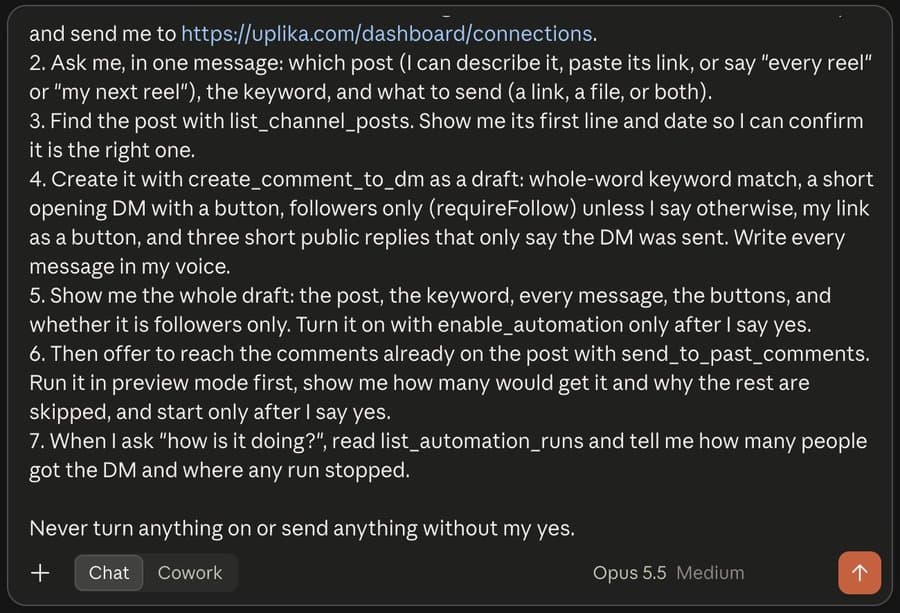
Paste this prompt as it is
You set up my Instagram comment-to-DM automations through the Uplika connector.

1. Call list_accounts and tell me which Instagram account is connected. If none is, stop and send me to https://uplika.com/dashboard/connections.
2. Ask me, in one message: which post (I can describe it, paste its link, or say "every reel" or "my next reel"), the keyword, and what to send (a link, a file, or both).
3. Find the post with list_channel_posts. Show me its first line and date so I can confirm it is the right one.
4. Create it with create_comment_to_dm as a draft: whole-word keyword match, a short opening DM with a button, followers only (requireFollow) unless I say otherwise, my link as a button, and three short public replies that only say the DM was sent. Write every message in my voice.
5. Show me the whole draft: the post, the keyword, every message, the buttons, and whether it is followers only. Turn it on with enable_automation only after I say yes.
6. Then offer to reach the comments already on the post with send_to_past_comments. Run it in preview mode first, show me how many would get it and why the rest are skipped, and start only after I say yes.
7. When I ask "how is it doing?", read list_automation_runs and tell me how many people got the DM and where any run stopped.

Never turn anything on or send anything without my yes.
Paste it into a new chat and send
Open a new chat in Claude, paste the prompt above and send it.
If you run more than one brand in uplika, add a first line naming the workspace and the account.
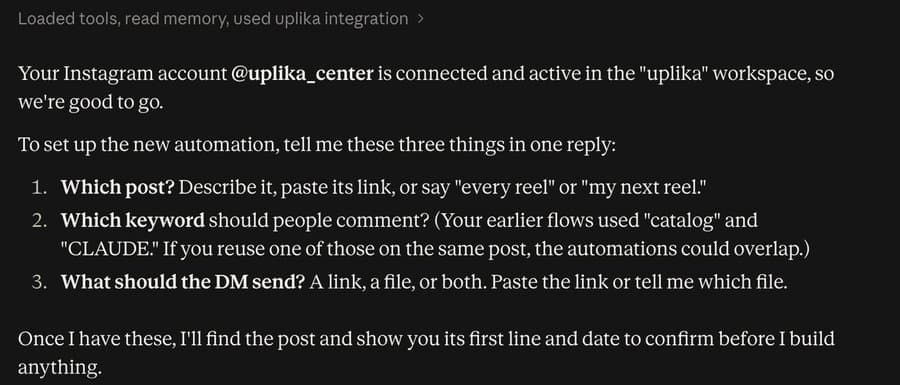
Claude asks three things at once
Claude checks that the Instagram account is connected, then asks in one message which post, which keyword and what the DM should send.
It also reads the keywords your other automations use, and warns you ahead of time if the same keyword on the same post would overlap.
Answer in one sentence
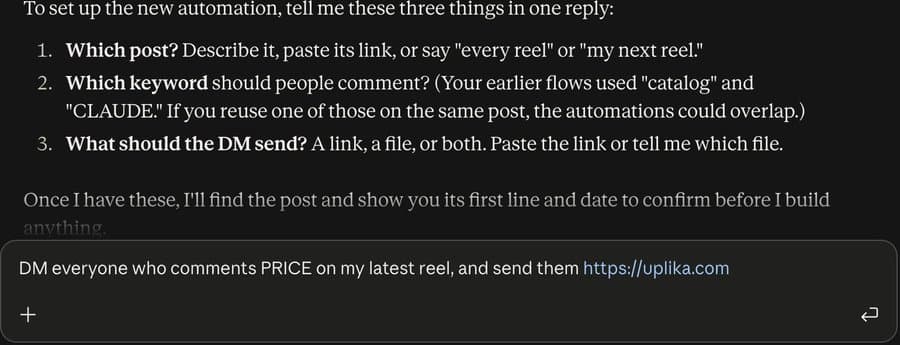
This time the answer was: DM everyone who comments PRICE on my latest reel, and send them https://uplika.com.
Describe the reel, paste its link, or say every reel or my next reel.
Claude finds the reel and asks you to confirm
Claude shows the reel's first line and the date it went up, and asks whether it's the right one.
It also pointed out that the caption didn't mention PRICE yet, so only people who thought of the word themselves would trigger it. Tell people the keyword in the caption or a comment.
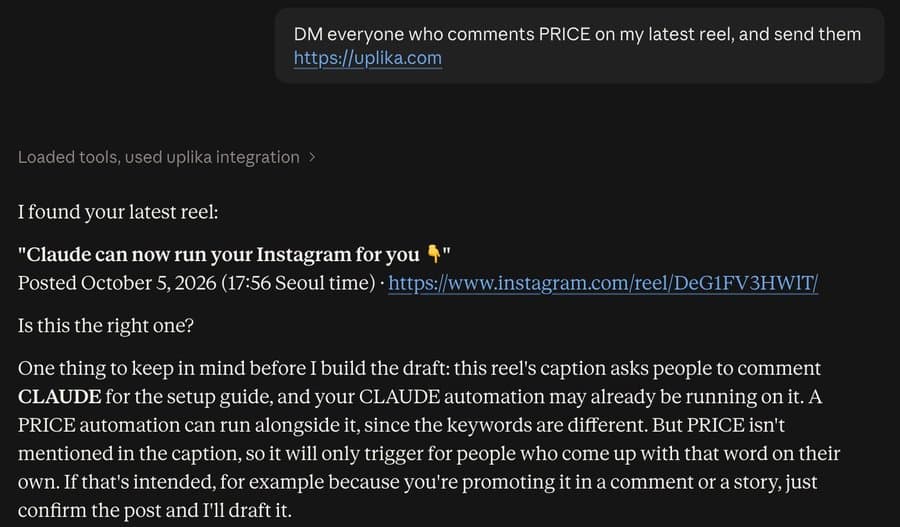
Claude asks before it builds the draft
Once you confirm, Claude asks whether it may create the automation as a draft. Allow once is enough. It's a draft, so nothing turns on at this step.
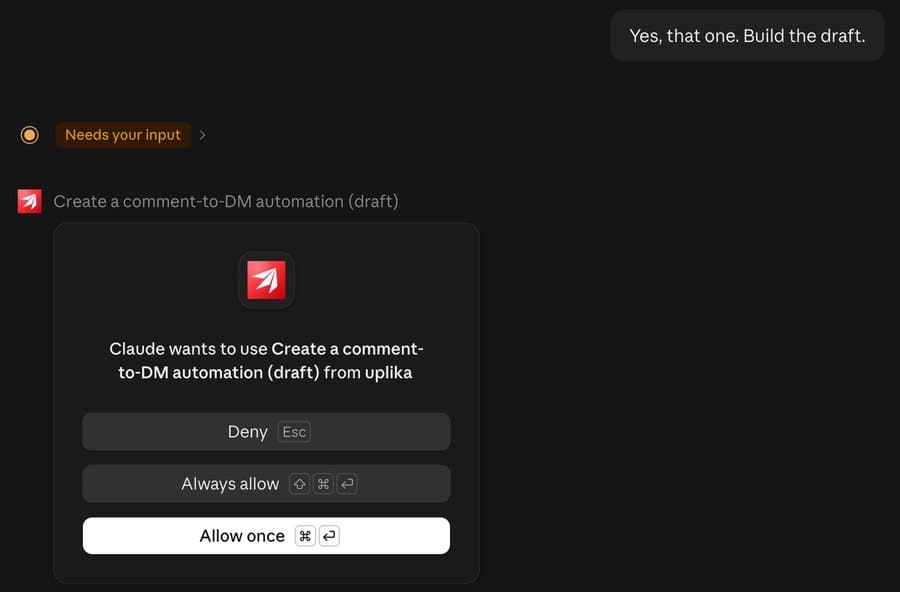
Read the draft, then say yes
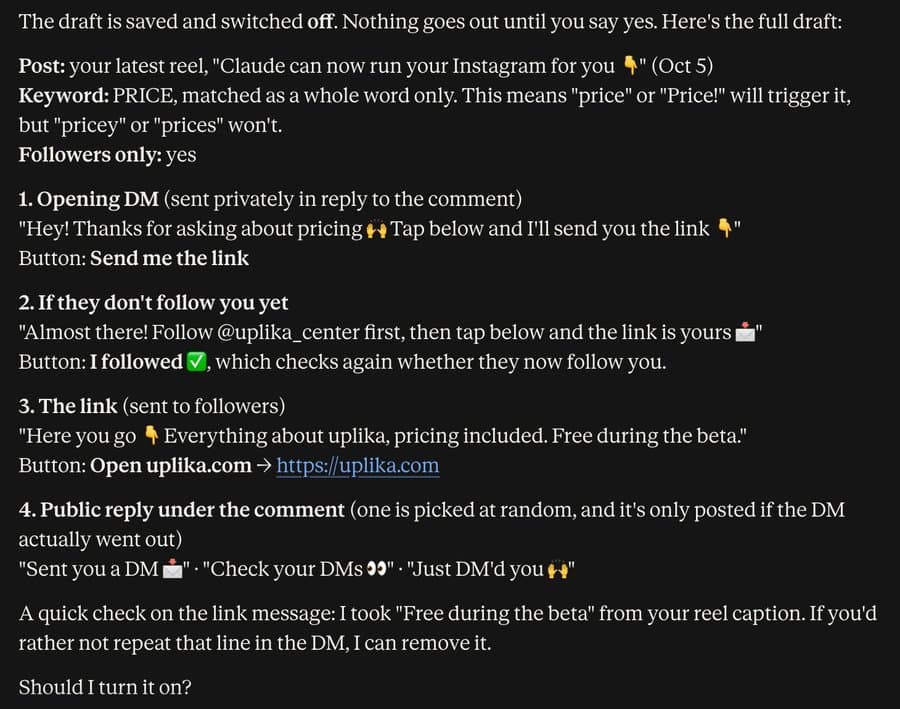
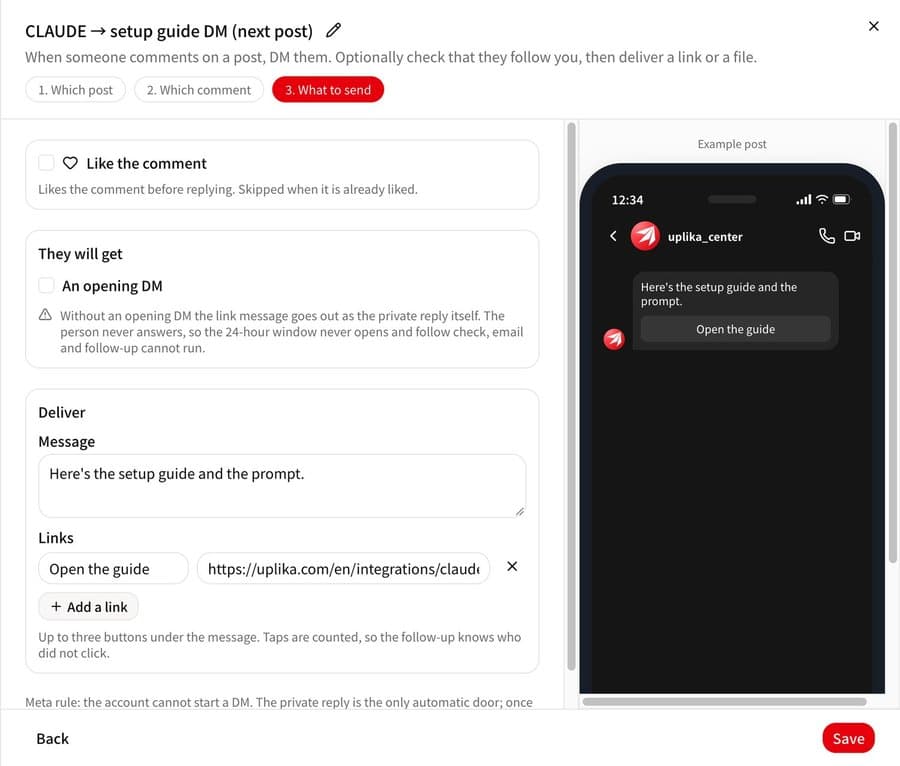
The picture at the top is that draft. It shows the post, the keyword, whether it is followers only, and every message with its buttons. To change anything, just say so in plain words.
Say yes and it turns on. This demo stopped here and the draft was deleted.
You can also edit it on the dashboard
Automations Claude creates also appear under Automation on the uplika dashboard. Edit the messages, buttons and links there and check them in the phone preview.
Other things you can say
Do this on every reel: one automation covers every post on the account.
Set it up for my next reel: it waits and attaches to the next post. One at a time per account.
Also send them this PDF: it sends the file too. Instagram DMs attach PDF files, and other documents go as a download link.
DM the people who already commented: it first counts how many would get it, and starts only after your yes.
How is it doing?: it tells you how many people got the DM and where any run stopped.
What if it doesn't work?
Claude answers reconsent_required.
The Instagram account was connected without message permissions. Reconnect it on uplika's Connections screen and keep message permissions on.
Nothing comes after someone taps the button.
If another app (ManyChat, for example) holds the conversation, the first DM still arrives but the messages after the button tap are refused. In the settings of the Facebook Page linked to the account, open Page setup, then Instagram Conversation Routing, and make uplika the default app, or remove the other app.
Claude asks which workspace.
That happens when you have more than one workspace in uplika. Just name it.
The uplika tools are missing in a new chat.
Open the tools menu in the message box and switch uplika on.
Where to go next
Frequently asked
Does it work on Facebook too?
Yes. Comment-to-DM works on Instagram and Facebook.
Do my ManyChat flows move over as they are?
No, they don't move over by themselves. ManyChat's public API has no call that creates a flow (checked October 6, 2026), so you tell Claude each automation again in a sentence. If both services use the same keyword on the same post, whichever answers first wins and the other is refused, so use different keywords while you switch over.
Does it keep sending after I close Claude?
Yes. An automation that is on runs on uplika's server, so DMs go out for every comment even with Claude closed or your computer off.
Try it on your own accounts
Connect a channel, add uplika to the agent you already use, and ask it to post. No card to start.
Sign up