You can now pin straight to a Pinterest board
Pinterest is now a channel you can connect. Sign in, allow access and pick a default board, and your agent can post image or video Pins to it.
Pinterest approved uplika for standard access on October 28, 2026, and since October 29 anyone can connect Pinterest.
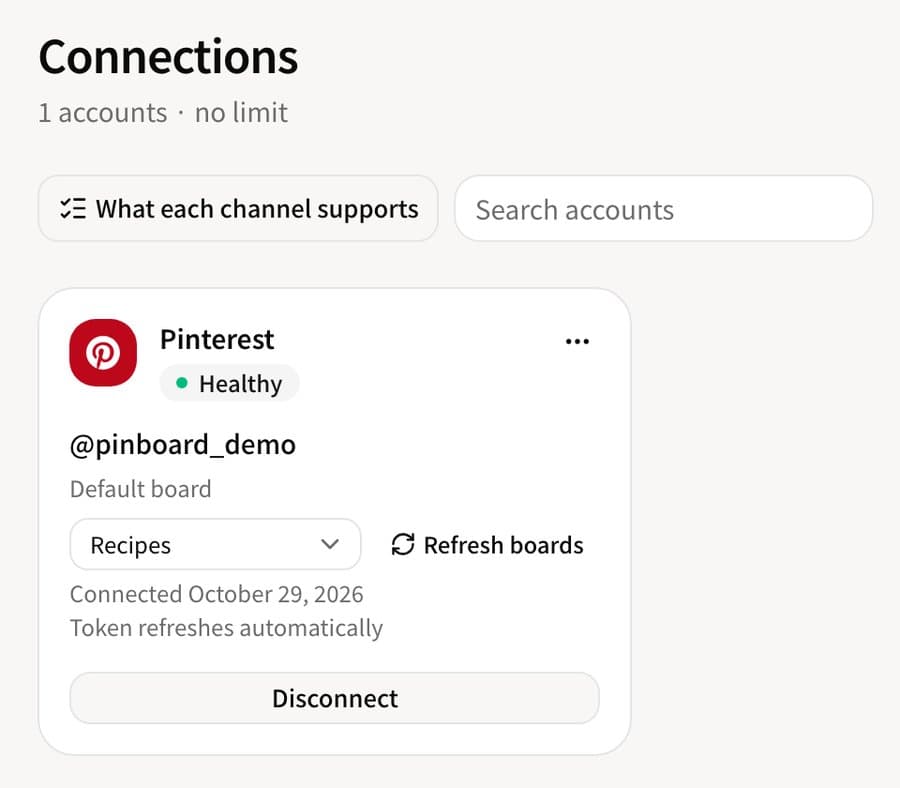
Once connected, the card shows your default board and lets you change it right there. Pins that don't name a board go to this one.
What can you do with it?
Post one image or one video per Pin. Give it a title and a link, and people who tap the Pin go to that address.
Pick a board for each post, or leave it out and the Pin goes to the default board. A scheduled Pin keeps the board it was given when you scheduled it, even if you change the default later.
Read a Pin's impressions, engagement and saves, and delete Pins.
Anything Pinterest's API doesn't offer isn't available: comments and replies, editing a published Pin, and Pins with several images.
How do you connect it?
Have at least one board
Pins live on boards, so make a board in Pinterest first. Connect a Pinterest business account.
Choose Pinterest in uplika
In the dashboard, open Connections, click New connection and choose Pinterest. Sign in on Pinterest's page and allow access.
Pick the default board
When you come back you see your boards. Pick the one Pins should go to by default, and the connection is done.
Where to go next
Frequently asked
Why aren't my secret boards listed?
uplika asks Pinterest for permission to read boards, not secret boards. Pin to a public board, or make the board public and press Refresh boards.
I made a board after connecting and it isn't there.
Press Refresh boards on the connection card and the list is read again.
What if I delete the default board in Pinterest?
The next time the boards are read, the card says the default board is gone and asks you to pick one. Until you do, Pins without a board are refused instead of landing somewhere unexpected.
Try it on your own accounts
Connect a channel, add uplika to the agent you already use, and ask it to post. No card to start.
Sign up